The snag clinics hit first
Clinicians rush a scan, labs guess an occlusion, the prosthesis shows up tight or loose — repeat the cycle and you waste hours and trust. This is where a clear digital plan cuts the noise. Start by capturing precise relationships early: a reliable jaw relation record changes decisions downstream. Small data errors become big chairside fights. Spot them before milling; prevent them before cementation.

Why the problems keep coming
Multiple systems, mismatched formats, and unclear responsibilities. Scanners output slightly different meshes. CAD libraries vary. The lab and clinic speak different shorthand. The core issue isn’t tech; it’s process gaps and assumptions. When teams assume occlusion is “close enough,” they accept rework as normal. That mindset fuels late-stage fixes.
A problem-driven fix: clear steps you can use today
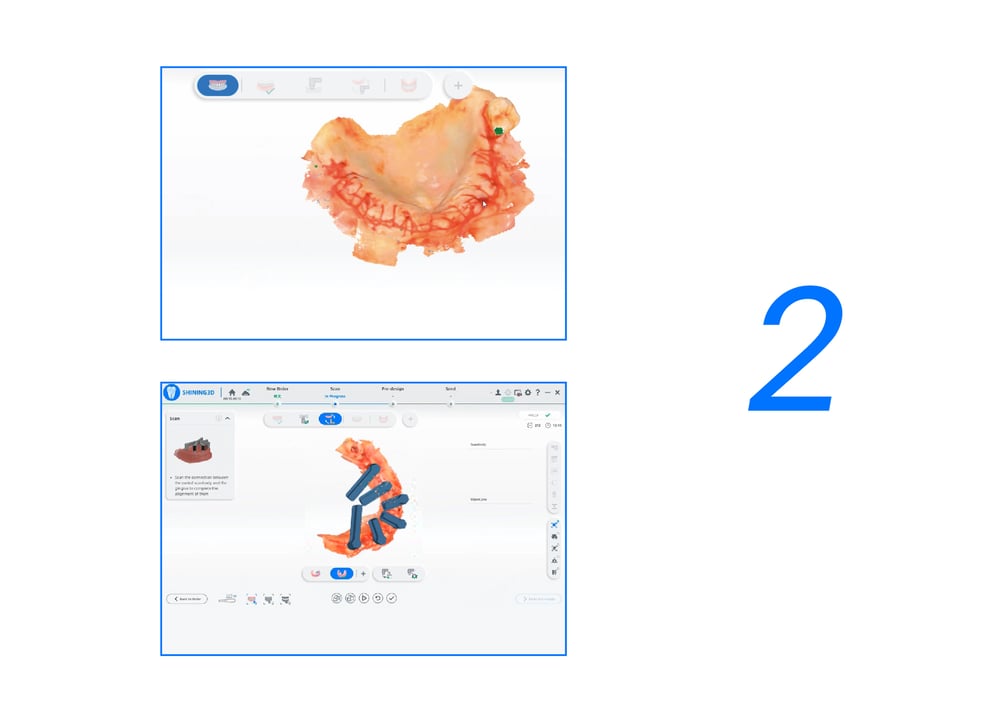
Pinpoint. Capture a verified interocclusal record and confirm implant positions with cross-checked scans. Standardize. Choose one file protocol for communication and force it across each case. Simulate. Use virtual articulation early to preview contacts before design. Validate. Print or mill a fit-check guide for high-risk cases. Communicate. Share annotated screenshots with the lab — not just files. These steps reduce surprises and shorten turnaround.
Tools and choices that actually matter
Not every scanner or software solves every issue. Look for devices that export stable meshes, open formats, and straightforward integration with CAD and milling systems. For occlusion-heavy cases, prioritize tools that let you simulate motion and export dynamic contact data. If you’re choosing between speed and fidelity, pick fidelity for final prostheses; speed helps diagnostics but not long-term fit.
Real-world anchor and what that proves
At IDS Cologne, clinicians and lab managers compared dynamic tracking systems side-by-side and repeatedly pointed to motion capture as a game changer for complex reconstructions. That field feedback matters because it came from direct case work and live demos. Practical teams used jaw motion tools during planning and saw fewer occlusal remakes. When jaw kinematics mattered, the teams turned to dedicated solutions like jaw motion analysis to map contacts under real functional conditions.
Common mistakes and how to avoid them
Relying on static bite records for dynamic problems. Exporting files without a change log. Leaving critical articulator settings undocumented. Skipping a physical try-in when soft tissues are unpredictable. Fix these by documenting every parameter, keeping a single source of truth for the case, and forcing a quick fit-check when any variable changes.
How a tight, problem-driven workflow closes the loop
Stop treating rework as inevitable. Build a short checklist: validated capture, unified file protocol, motion-aware simulation, documented settings, and a fit-check. That checklist reduces surprises and saves time at the chair. Teams that adopt it report clearer handoffs and fewer remakes, and that steady improvement is what firms that integrate practical digital tools achieve — witness the manufacturers and labs moving toward end-to-end solutions like SHINING 3D DENTAL to keep the workflow predictable and the prostheses reliable.